



You do the work. Kwilo helps with the admin.
After a long day on the job, it’s easy to let the admin slip, or spend your whole evening trying to catch up. Kwilo keeps you on track with quotes, invoices, chasing payments and logging your expenses.

Hello, I’m Kwilo. I keep your customers, jobs and paperwork together, and I’ll prompt you with what needs doing next.
For UK service businesses that quote, book and invoice.
Once invited, try Kwilo free for 30 days. No card needed.
For people who run the business and do the work.
Kwilo is for UK sole traders and small service businesses: electricians, gardeners, cleaners, hairdressers, photographers and many more.
When you’re answering customers, doing the work and sorting the paperwork, it’s easy for the details to end up everywhere. Kwilo keeps the customer, job and money together, so you can see what needs doing next.
You’ve seen the job.
Let’s get the quote started.
Before the details fade, tell Kwilo what needs doing. Magic Quote turns your spoken or typed notes into a draft.

Talk to me, and I’ll draft the quote.
You check the draft and prices before sending. Share it by WhatsApp or email for your customer to review.
See how quoting works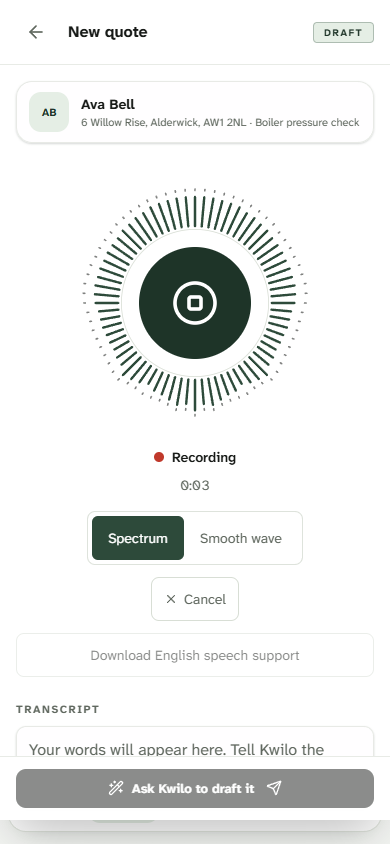
Then keep the job moving.

Book the agreed work.
Keep the visit in your diary, with the customer and job details alongside it. Each day Kwilo flags where you’re supposed to be. One tap opens directions, and you can WhatsApp the customer to tell them you’re on your way.

Keep on top of ‘Can you just…’
Add photos and notes as you work. Keep all the job details together, and if the spec changes, easily request approval from the customer so there are no awkward conversations when you invoice them.

Know what still needs paying.
Raise the invoice from the job, record payments and see which invoices need chasing.
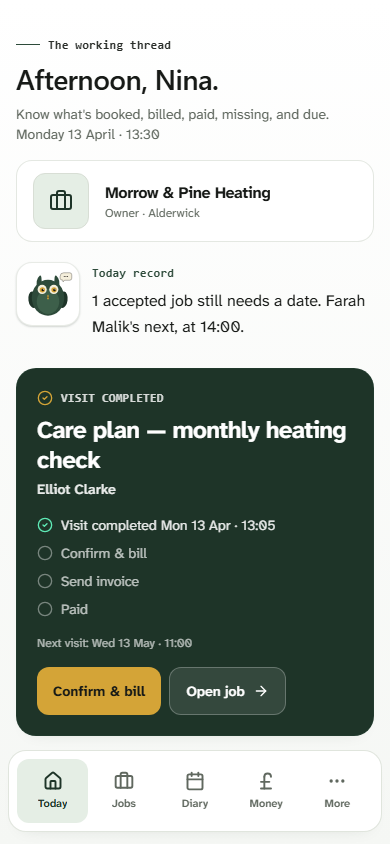
Each day Kwilo shows you your booked visits, customer questions, quotes to follow up and invoices that need a chase.
Follow a job from start to finishMoney out matters too.
Photograph a receipt and upload it. Kwilo reads the details and suggests a category for you to check, so the paperwork doesn’t pile up.
See receipts and expensesKeep the accountant you trust.
Export figures for your accountant, invite them into Kwilo, or connect supported records to Xero, QuickBooks Online or FreeAgent. You can also handle straightforward bookkeeping yourself.
Kwilo helps prepare your records. It doesn’t replace professional advice. It doesn’t currently send quarterly updates or Final Declarations to HMRC (but that is coming soon).
What Kwilo does for MTDSee if Kwilo is right for you
A 30-day free trial, with no card needed. Then £25 a month or £275 a year.
We’re inviting businesses a few at a time. Check the pricing and whether Kwilo suits the way you work, then request access. Your trial starts if you’re invited.