




Where do I put this receipt?
Send it to Kwilo from your phone or by email. If there is no receipt, add the missing cost as a lost receipt or overhead instead.
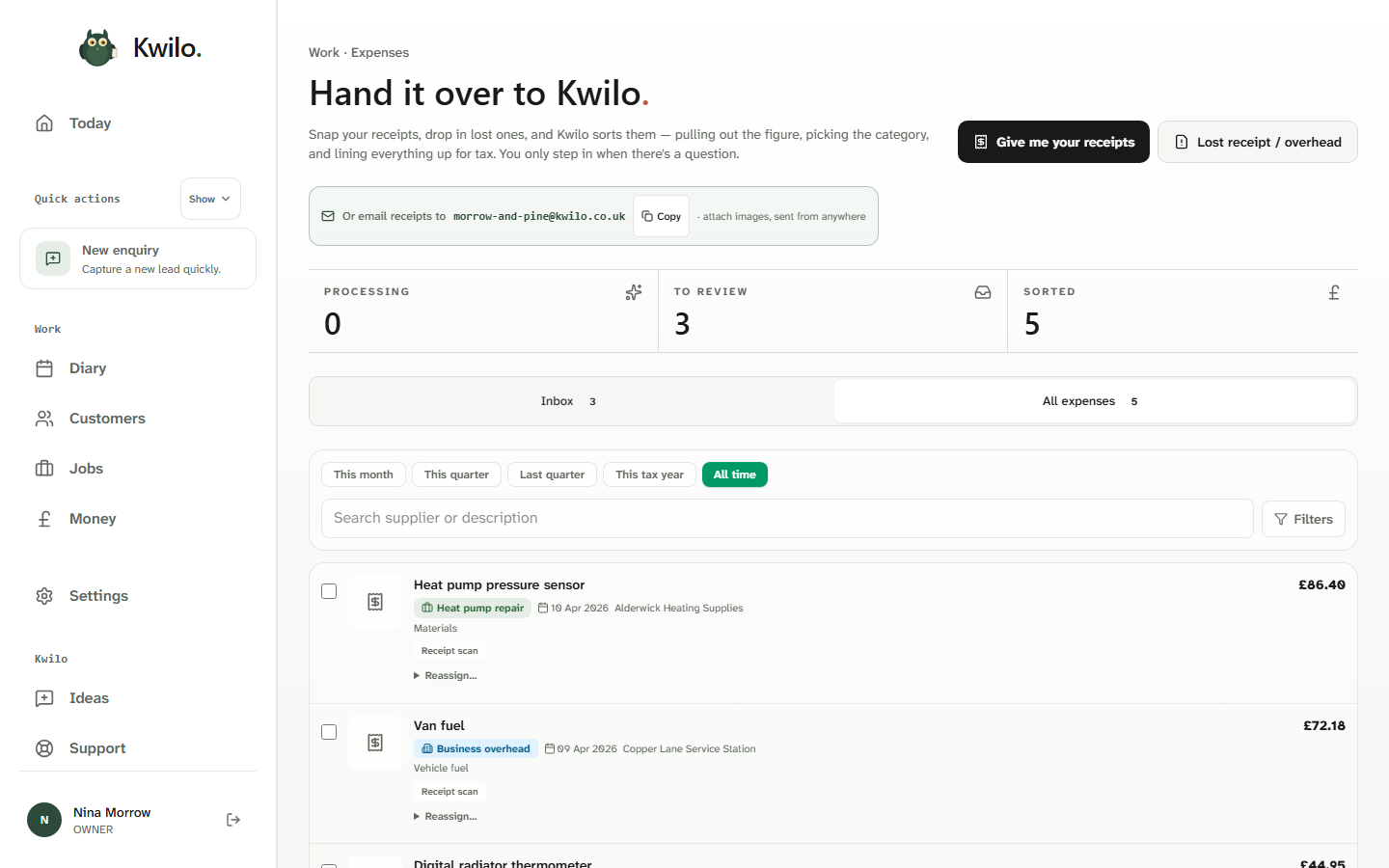
Send receipts in, add costs that did not come with one and review what Kwilo has prepared. The expenses view keeps the items still being processed, waiting for you and already sorted apart.
Five costs are recorded, with three more in the inbox. Each row keeps the supplier, date, category, receipt and amount together.
Search the list or narrow it by period when you need to find a particular cost. The inbox stays separate from the full expenses record, so unfinished checks remain visible.
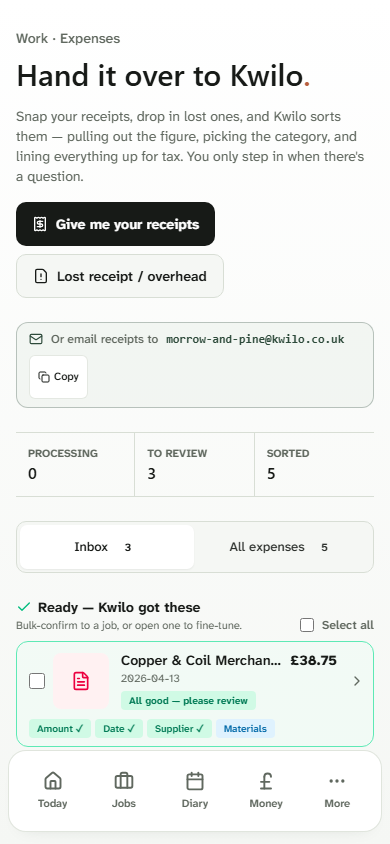
On mobile, send Kwilo a receipt, use the business email address or record a lost receipt or overhead. The inbox then brings back the items that are ready for you to check.
The inbox shows what’s ready to post and what still needs a decision. Here, two items are ready and one needs a check.
I’ll help you keep the receipts and costs together. You check the details and decide what’s ready for the books. Your business remains responsible for its records and tax position.
Send it to Kwilo from your phone or by email. If there is no receipt, add the missing cost as a lost receipt or overhead instead.
The expenses view separates items being processed, items waiting for review and items that have already been sorted.
Open the inbox to check the amount, date, supplier and category, then confirm the record or make a correction.
Read the current MTD Income Tax scope, what Kwilo prepares and where your responsibility remains.